Most people use Claude to write emails or summarize documents. But it’s surprisingly good at job searching too, if you set it up the right way.
You can use Claude to find jobs that match your background, tailor your resume for specific roles, write cover letters that reference your actual experience, and even fill out application forms. At Proficiently, we’ve built tooling that chains all of these steps together so the output of one feeds into the next.
This guide walks through how to use Claude for each stage of a job search, from finding roles to submitting applications.
Job searching is mostly repetitive text work: reading job descriptions, rewriting your resume to match, drafting cover letters, filling out forms. This is exactly what language models are good at.
But there’s a catch. If you just paste a job description into Claude and ask it to tailor your resume, you’ll get a generic result. Claude doesn’t know your full work history, your preferences, or the stories behind your accomplishments. It can only work with what you give it.
The trick is to front-load the context. Give Claude a detailed work history once, and every resume, cover letter, and application it writes afterward will be specific and grounded in your real experience.
We’ve written about the broader concept in our guide to the AI-powered job search. This post is more hands-on: here’s exactly how to do it, step by step.
Before you start tailoring resumes, you need to give Claude something to work with. Your one-page resume isn’t enough. It’s a summary, and summaries leave out the details that make a tailored application compelling.
We have a work history document prompt that walks you through this. The basic idea: go through each role you’ve held and tell Claude about the context, your accomplishments, the numbers, and why you left. It compiles everything into a reference document you can reuse.
This takes 30-45 minutes the first time, but it saves hours across every application after that. Instead of trying to remember what you did at your last job while staring at a blank resume, you have a detailed source of truth.
You can ask Claude to help you evaluate job descriptions against your background. Paste a few listings and ask: “Based on my work history, which of these am I the strongest fit for, and why?”
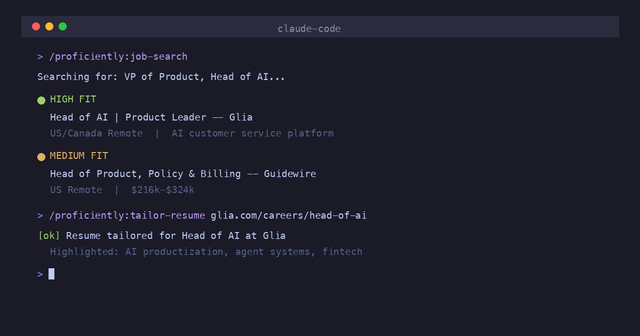
If you want to go further, the Proficiently plugin for Claude Code automates this entirely. It searches across job boards and company sites, then ranks results by how well they match your profile:
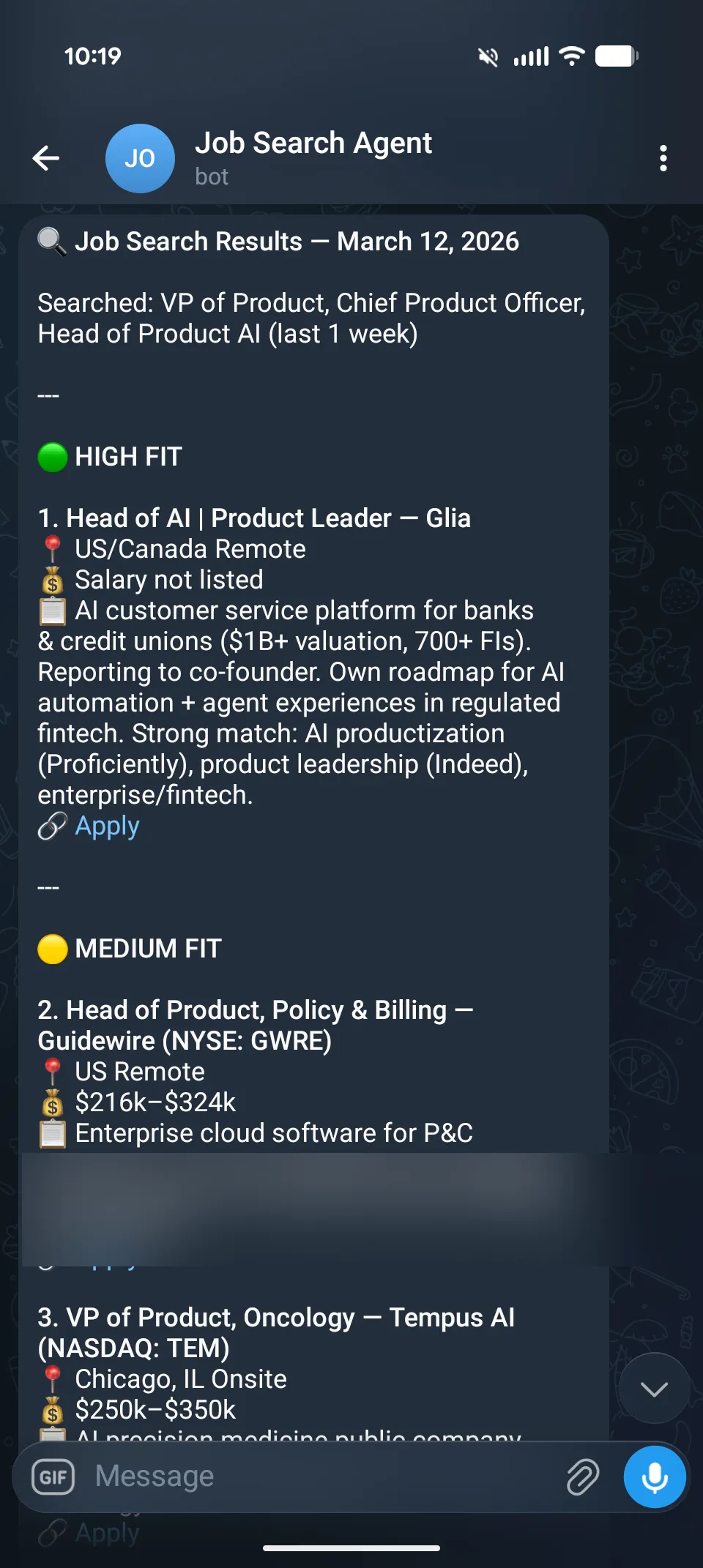
Each result includes context on why it matched — which parts of your experience are relevant, what the company does, and salary info when available. This saves a lot of time compared to scrolling through Indeed and trying to mentally evaluate each listing.
This is the step that makes the biggest difference and the one most people skip because it’s tedious. Tailoring your resume to each job description means reordering your bullets, adjusting language, and leading with the experience that matters most for that specific role.
Claude handles this well because it can hold both your full work history and the job description in context, then figure out which accomplishments to emphasize. Our resume tailoring prompt walks through the process, or you can use the resume bullet points prompt to craft individual bullets.
The key insight: different roles value different parts of your experience. A Product Manager role at a fintech company cares about different things than the same title at a healthcare startup. Tailoring isn’t about stuffing keywords. It’s about leading with the right stories.
If you’re doing this manually, creating a few solid base resumes — one per job title you’re targeting — is a realistic approach. If you want per-role tailoring without the manual work, that’s what we built Proficiently’s resume tailoring to do.
Generic cover letters are easy to spot and easy to ignore. A good cover letter connects specific things from your background to specific things the company needs.
Claude is useful here because it can read the job description, scan your work history, and find the most relevant connections. Instead of “I am excited to apply for this position,” you get something like: “Your team is building out AI-powered compliance tooling, and I spent the last two years doing exactly that at [Company], where we shipped [specific thing].”
The difference is specificity. Claude can surface details from your work history that you might not think to include because it’s processing everything at once.
The final step is submitting the application. For many companies, this means filling out forms on Greenhouse, Lever, or Workday with information you’ve already written on your resume. Tedious and repetitive.
The Proficiently plugin handles this too. You tell it which job to apply to, it prepares the application with your tailored materials, shows you everything before submitting, and lets you make changes:
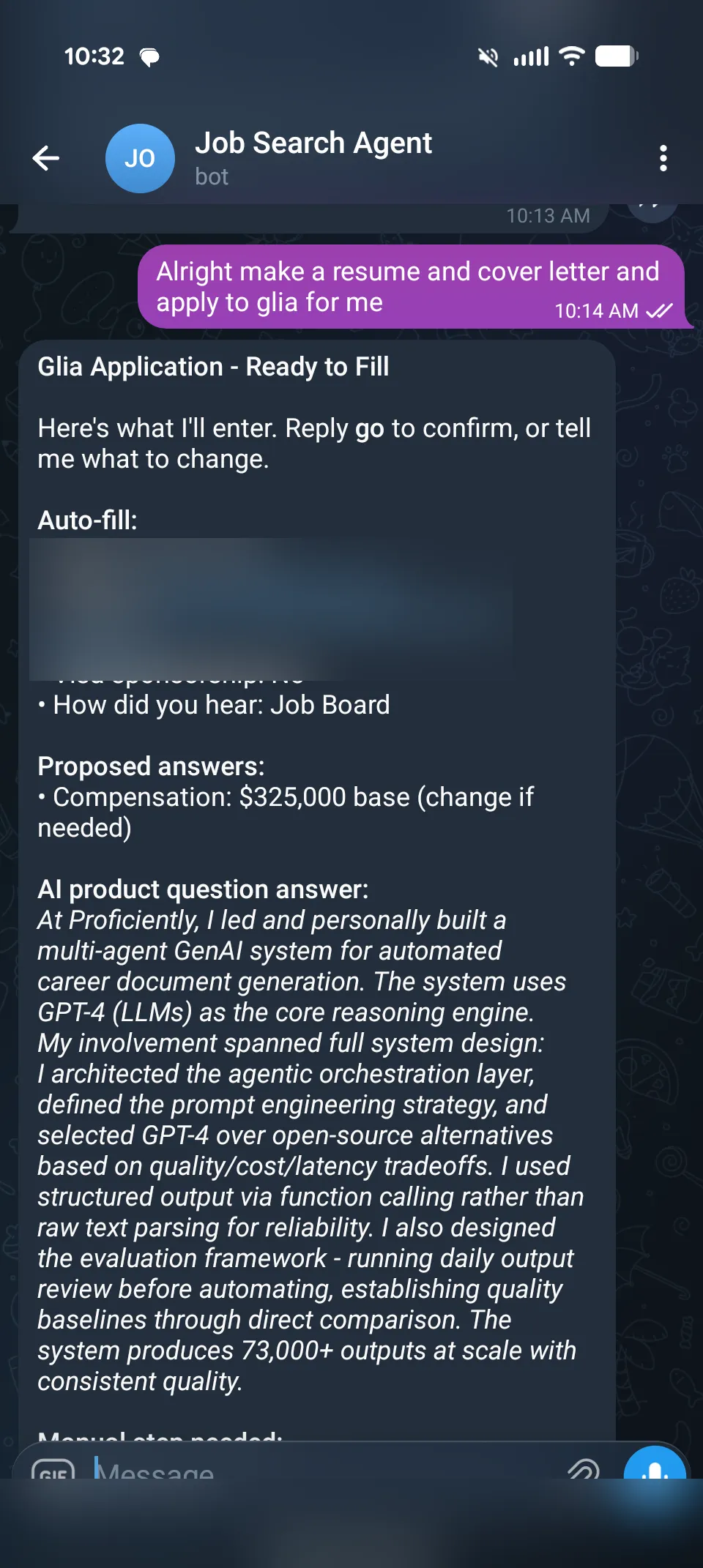
This works from your terminal via Claude Code, or from your phone via Telegram. You can be on the train and tell it “apply to Glia for me” and it handles the rest.
Here’s what the complete setup looks like using the Proficiently Claude Code plugin:
# Install (one time)
claude install-skill https://github.com/proficientlyjobs/proficiently-claude-skills

# Set up your profile and work history (one time, ~10 min)
/proficiently:setup

# Search for matching jobs
/proficiently:job-search

# Tailor your resume for a specific role
/proficiently:tailor-resume

# Write a cover letter
/proficiently:cover-letter

# Check if anyone in your network works at target companies
/proficiently:network-scan

# Submit the application
/proficiently:apply
Each step builds on the last. The resume tailoring uses your work history. The cover letter uses both the tailored resume and the job description. The application uses everything.
If you’d rather do this from your phone, the Telegram integration runs all the same commands through chat. Start it with /loop 1m /proficiently:jobsearch-telegram and you can search, tailor, and apply by texting a bot.
Running Claude through the plugin uses your own API credits, and job searching generates a lot of tokens. Searching, tailoring resumes, writing cover letters, and filling out applications across dozens of roles adds up. Depending on how active your search is, you could be spending $50-100+/month on API usage alone.
There’s also the overhead of managing the workflow yourself. You still need to review every tailored resume, decide which jobs to pursue, and keep track of what you’ve applied to. The plugin automates the writing, but the decision-making and quality control is still on you.
If you’d rather hand off the whole process, that’s what Proficiently does as a managed service. We run the search, curate the roles, tailor your resume, and submit applications on your behalf. You just review and approve. It’s the same workflow without the API costs or the self-management.
You don’t need the Proficiently plugin to use Claude for your job search. Here’s what you can do with just Claude and our free prompts:
The plugin’s advantage is memory (it remembers your profile across sessions), chaining (steps flow into each other), and automation (it fills out forms and submits). But the prompts work on their own if you prefer to copy-paste.
If you’re earlier in your job search and still figuring out the basics, our guides on what goes on a resume and how to get hired quickly are good starting points.
Your job search shouldn’t be a second full-time job. At Proficiently, we built tools that handle the tedious parts — finding roles, tailoring resumes, writing cover letters, submitting applications — so you can focus on networking and interview prep. Try the Claude Code plugin or see how Proficiently works.